


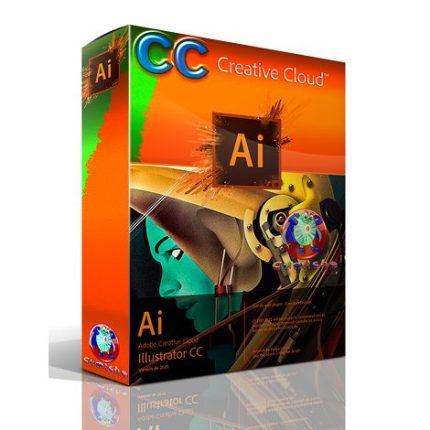
Adobe Illustrator CC 2022 for Windows
R700,00
Adobe Illustrator 2022 Full Version Lifetime Windows
Adobe Illustrator 2022 is The industry standard vector graphics editor that provides you everything you need in professional design and artwork. Adobe Illustrator is a powerful design tool that perfect and versatile for all kinds of design. It provides an impressive set of drawing tools, color processing tools, brushes, advanced filters and special effects for your drawing. Whether you are, you will be easy to create beautiful vector art, such as posters, logos, sketches, typography, icons, as well as complex.
Overview of Adobe Illustrator CC 2022 for Windows
The drawing program “Adobe Illustrator CC 2022” is the professional solution when it comes to the design of professional vector-based illustrations for posters, business letters, business cards, brochures, websites, and DVDs menus. You can bundle and group up to 100 different large drawings in a single Illustrator file.
Via a selection list, you can access the desired element directly. “Adobe Illustrator” reads all major formats such as EPS, FXG, PSD, TIFF, GIF, JPEG, SWF, SVG, DWG, or DXF. If you would like to pass on your designs, so-called “package files” offer themselves. Here you summarize all required fonts and graphics in one folder. Alternatively, secure your print-sharing designs as multi-page PDF documents with all Illustrator layers.
Adobe Illustrator CC 2022 Key Features
- Iconic work at any size
- Gorgeous typography that says it all
- Draw attention everywhere
- Pro power comes standard
- Freeform Gradients
- Global Editing
- Customizable toolbar
- Presentation and Trim Preview
- Visual font browsing
- More accessible Adobe Fonts
- Scaling to fit your monitor
- Actual size preview
- Puppet Warp enhancement
- And so much more
Product Details & Requirements
- Full Version Software
- Lifetime Access!
- Unlimited PC Installation
- No Extra Payment or Subscription
- Intel Pentium 4 or AMD Athlon 64 processor
- OS: Microsoft Windows 8/8.1/10 or Windows 11
- OS Architect : Windows (64-bit)
- 1 GB of RAM (4 GB recommended)
- 2 GB of available hard-disk space
- 1024 x 768 display (1280 x 800 recommended)
- Languages : Multilingual
- File Size : 1.82GB
- Secure Download with Google Drive
Only logged in customers who have purchased this product may leave a review.


Adobe Acrobat Pro DC Full Version for Windows
Original price was: R700,00.R300,00Current price is: R300,00.


Related products


Adobe Photoshop (PC)
Explore Photoshop features
🖌️✨ Make selections with a brushstroke
Use the Selection Brush tool to paint in selections, then apply edits and fills or filters. Plus, you can use opacity and hardness controls to blend edits seamlessly.
🎨✏️ Use a brush to apply selective edits
Grab the new Adjustment Brush Tool when you want to change just one part of an image. Paint on adjustments to brightness, saturation, exposure, and more.
🤖🖼️ Edit images with generative AI
Make complex edits in a flash with the most advanced Generative Fill yet. Plus, use Reference Image to create with more control. Upload a sample image to inform the content of your generated result.
✍️🖼️ Create with Text to Image
Ideate and create new assets using Text to Image, now out of beta. Zip through dozens of ideas in minutes and combine multiple images into something new.
✂️📐 Crop an image
Select part of an image with the Crop tool and remove everything outside the selected area, or pair it with Generative Expand to extend the image.
🖼️➕🖼️ Combine images
Create a composite of two or more images by placing them on their own independent, transparent layers.


Reviews
There are no reviews yet.