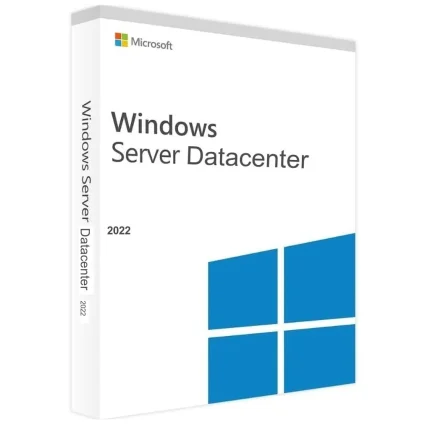
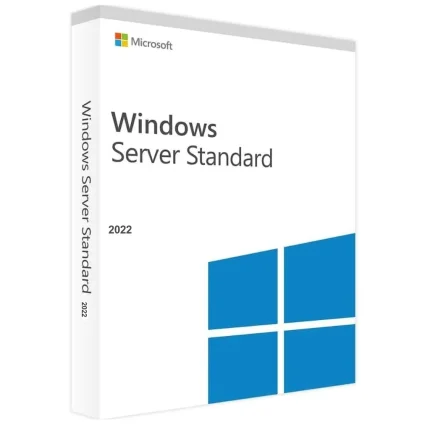
Microsoft Windows Server 2022 Datacenter ESD
R700,00
Size and packaging guidelines
| Specification | Chair | Armchair | Sofas |
| Height | 37" | 42" | 42" |
| Width | 26.5" | 32.5" | 142" |
| Depth | 19.5" | 22.5" | 24.5" |
| Assembly Required | No | No | Yes |
| Packaging Type | Box | Box | Box |
| Package Weight | 55 lbs. | 64 lbs. | 180 lbs. |
| Packaging Dimensions | 27" x 26" x 39" | 45" x 35" x 24" | 46" x 142" x 25" |
Category: Microsoft
Description
The Windows Server 2022 Datacenter edition includes features like unlimited Storage Replica, Storage Spaces Direct, unlimited virtual machines, Hyper-V host per license, and unlimited virtual OSE/Hyper-V isolated containers. At the same time, it also includes features like unlimited Storage Replica, Storage Spaces Direct, unlimited virtual machines, Hyper-V host per license, and unlimited virtual OSE/Hyper-V isolated containers and Software-defined Networking feature. It also has the support for Shielded Virtual Machines.
Windows Server 2022 includes new security capabilities like secured-core server and secure connectivity. It uses the Trusted Platform Module 2.0 and System Guard to boot up Windows Server securely and minimize risk from firmware vulnerabilities. Secured-core server also includes virtualization-based security (VBS) features like Credential Guard and Hypervisor-protected code integrity (HVCI).
Why Datacenter Edition?
Deliver enhancements to core Windows Server functionality.
Enable developers to create cloud native apps and modernize traditional apps using containers and micro-services.
Increase security and reduce business risk with multiple layers of protection built into the operating system.
Continues to enable high density virtualization.
Adds advanced software-defined Windows Server 2022 Datacenter capabilities.
Adds advanced software-defined storage capabilities.
What are Cores and what are they used for?
Windows Server 2022 licensing model includes both Cores and CALs. Every user or device is required to have either a Windows Server CAL or a Windows Server and RDS CAL in order to be able to access the licensed server.
Our product allows you to instantly add 16, 20 or 24 Cores to your arsenal. This makes for an incredibly easy way to give your business a boost in scale, expanding the number of employees working under your name.
Online activation
Does not bind to your Microsoft account
Can not be reactivated / transferred to another computer
Instant delivery – 2 minutes
Activation instructions provided in the email with the key
Permanent activation
Region: Global
Multilingual
Updates possible
Invoice will automatically generate upon placing an order.
Live chat or email support
Reviews (0)
Only logged in customers who have purchased this product may leave a review.
About brand
Adobe Acrobat Pro DC Full Version for Windows
Shipping and Delivery
MAECENAS IACULIS
Vestibulum curae torquent diam diam commodo parturient penatibus nunc dui adipiscing convallis bulum parturient suspendisse parturient a.Parturient in parturient scelerisque nibh lectus quam a natoque adipiscing a vestibulum hendrerit et pharetra fames nunc natoque dui.
ADIPISCING CONVALLIS BULUM
- Vestibulum penatibus nunc dui adipiscing convallis bulum parturient suspendisse.
- Abitur parturient praesent lectus quam a natoque adipiscing a vestibulum hendre.
- Diam parturient dictumst parturient scelerisque nibh lectus.
Scelerisque adipiscing bibendum sem vestibulum et in a a a purus lectus faucibus lobortis tincidunt purus lectus nisl class eros.Condimentum a et ullamcorper dictumst mus et tristique elementum nam inceptos hac parturient scelerisque vestibulum amet elit ut volutpat.
Related products
Office 2019 Home and Student Activation Key – (PC)
Office 2021 Professional Plus
R600,00
Office 2021 Professional License Key
Microsoft Office 2021 Pro Plus is one of the Microsoft products announced alongside Windows 11 . Office 2021, where Office 2019 Pro is modernized and tools are easier to use, includes classic applications for business (Word, Excel, Powerpoint, Outlook, Publisher, Access).
Differences Between Office 2021 and Microsoft 365
You buy Office 2021 Pro Plus version for one time to use classic Office applications on your computer. If you do not need other services offered with a Microsoft 365 subscription , Office 2021 will be the right choice. Although Office 2021 will always receive updates, a free upgrade to a new version that will be released in the coming years cannot be provided.
To use Office 2021, at least Windows 10 operating system is required. Office 2021 Pro Plus will not work on Windows 8.1, Windows 8 and lower .
For stable operation of Office 2021 Pro, DirectX 10 graphics card, at least 2 GB RAM and 2-core processor are required. In addition, it is important to have an internet access so that you can receive updates. You need internet access to install and activate Office 2021 Pro. But after you fully install all Office applications on your computer, internet access is not required.
After purchasing Office 2021 Pro Plus, you can download the product by going to the official Office site and entering your license code.
Key benefits
All the apps that will meet your basic needs. Office Professional 2021; Intended for emerging small businesses that want classic Office applications in addition to Outlook, Publisher, and Access. Here is a 1-time purchase that is installed on PC for use.
One-time purchase
Install on a PC
Project Professional + Visio Professional 2021 Activation key – Bundle
R1 000,00
SQL Server 2016 standard license – 1 USER
R1 000,00
Visual Studio 2019 Enterprise Activation Key – (PC)
R1 000,00
Visual Studio 2019 Professional Activation Key – (PC)
R1 000,00
Visual Studio 2022 Enterprise Activation Key – (PC)
R1 000,00
Windows Server 2025 Remote Desktop Services – 50 User CALs Certificate
R1 000,00


Reviews
There are no reviews yet.