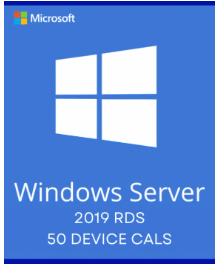
Windows Server 2019 Remote Desktop Services – 50 Device CALs Certificate
R1 000,00
Category: Microsoft
Description
The Windows Server 2019 Remote Desktop Services Activation Key will be delivered with eMail, please make sure your email address is correct and don’t forget to check the spam or junk mail folder too.
This product requires a licensed Windows Server 2019 System on your computer. It cannot be used to activate your Windows Server 2019.
Product Description
Microsoft Windows Server 2019 Remote Desktop Services (RDS) is an integral part of Windows Server 2019, i.e. a license of Windows Server 2019 is required for each installed copy of the server software.
Remote Desktop Services (RDS) is the platform of choice for building virtualization solutions for every end customer need, including delivering individual virtualized applications, providing secure mobile and remote desktop access, and providing end users the ability to run their applications and desktops from the cloud.
Each user or device accessing a licensed Windows Server requires a Windows Server CAL or a Windows Server and a Remote Desktop Services (RDS) CAL.
With a Device CAL, you purchase a CAL for every device that accesses your server, regardless of the number of users who use that device to access the server.
Features
Simplify IT Management
Windows has improved management of Remote Desktop Licensing server and entitlement through Active Directory (AD)
- Leverage high availability RD Licensing servers with forward-compatibility for future versions of Windows Server to enable easier management of licenses from a variety of RDS releases.
- Manage licenses for your employees by bringing the ability for the RD Licensing servers to update RDS user Client Access Licenses (CALs) into AD objects without accessing AD directly.
- Performance Counters APIs provides partners an easy way to access data to build monitoring dashboards and deliver a consistent user experience.
User Experience
End users will be able to leverage desktops and apps through RDS 2019 to maximize productivity.
- Modern notifications for RemoteApp in the Action Center improve productivity with applications like Microsoft Outlook.
- Discrete Device Assignment in RDS 2016 to bring better security, virtual machine (VM) isolation, and performance for your graphic-intensive workloads. These improvements in GPU virtualization technologies will result in reduced network traffic and smooth video playback.
- Reduced CPU usage on the client and server and bandwidth gives better image quality and faster end-to-end web client experience.
Security
- With Windows Admin Center integration, it is easy to consolidate all local and remote server management into a single pane.
- Windows Defender optimizations for multi-session give you more confidence in bringing a secure, scalable and cost-effective desktop experience to end users.
- Web client support for Single Sign-on (SSO) delivers a streamlined authentication experience for users connecting via the web client.
- A few additional features include easy-to-configure DTLS-based encryption, all of which, work toward providing a trusted end-to-end RDS deployment.
Unlock the full potential of your Windows Server 2019 with Microsoft Remote Desktop Services (RDS) from All Good Keys. Our activation key ensures seamless integration and optimal performance, enabling you to build virtualization solutions tailored to your business needs. With features designed to simplify IT management, enhance user experience, and bolster security, RDS 2019 is the platform of choice for maximizing productivity and efficiency. Purchase your activation key today and experience the benefits of a trusted end-to-end RDS deployment for your enterprise.
Reviews (0)
Only logged in customers who have purchased this product may leave a review.
About brand
Adobe Acrobat Pro DC Full Version for Windows
Shipping and Delivery
MAECENAS IACULIS
Vestibulum curae torquent diam diam commodo parturient penatibus nunc dui adipiscing convallis bulum parturient suspendisse parturient a.Parturient in parturient scelerisque nibh lectus quam a natoque adipiscing a vestibulum hendrerit et pharetra fames nunc natoque dui.
ADIPISCING CONVALLIS BULUM
- Vestibulum penatibus nunc dui adipiscing convallis bulum parturient suspendisse.
- Abitur parturient praesent lectus quam a natoque adipiscing a vestibulum hendre.
- Diam parturient dictumst parturient scelerisque nibh lectus.
Scelerisque adipiscing bibendum sem vestibulum et in a a a purus lectus faucibus lobortis tincidunt purus lectus nisl class eros.Condimentum a et ullamcorper dictumst mus et tristique elementum nam inceptos hac parturient scelerisque vestibulum amet elit ut volutpat.
Related products
Microsoft Office 2024 Professional Plus
R350,00
Microsoft Corporation
• One-time purchase for a computer (Not Mac).
• Classic 2024 versions of Word, Excel, PowerPoint and Outlook, in addition to Access, OneNote and the ability to store documents in OneDrive or locally on your computer.
• Licensed for home and commercial use. All languages are included.
• Compatible with Windows 10/11*
Phone Activation key
Microsoft Windows Server 2025 Standard ESD
R900,00
Office 2021 Professional Plus
R600,00
Office 2021 Professional License Key
Microsoft Office 2021 Pro Plus is one of the Microsoft products announced alongside Windows 11 . Office 2021, where Office 2019 Pro is modernized and tools are easier to use, includes classic applications for business (Word, Excel, Powerpoint, Outlook, Publisher, Access).
Differences Between Office 2021 and Microsoft 365
You buy Office 2021 Pro Plus version for one time to use classic Office applications on your computer. If you do not need other services offered with a Microsoft 365 subscription , Office 2021 will be the right choice. Although Office 2021 will always receive updates, a free upgrade to a new version that will be released in the coming years cannot be provided.
To use Office 2021, at least Windows 10 operating system is required. Office 2021 Pro Plus will not work on Windows 8.1, Windows 8 and lower .
For stable operation of Office 2021 Pro, DirectX 10 graphics card, at least 2 GB RAM and 2-core processor are required. In addition, it is important to have an internet access so that you can receive updates. You need internet access to install and activate Office 2021 Pro. But after you fully install all Office applications on your computer, internet access is not required.
After purchasing Office 2021 Pro Plus, you can download the product by going to the official Office site and entering your license code.
Key benefits
All the apps that will meet your basic needs. Office Professional 2021; Intended for emerging small businesses that want classic Office applications in addition to Outlook, Publisher, and Access. Here is a 1-time purchase that is installed on PC for use.
One-time purchase
Install on a PC
Office 365 Pro Plus Account Lifetime 5 Devices
R150,00
Microsoft Office 365 Pro Plus for 5 PC / Laptop / MAC
Please read the description carefully!
It is a totally new account, which brings all the integrated Office 365 programs, along with the 5TB storage once you log in and change the password the product is entirely yours and we are not responsible for password forgetting anymore This implies that the product is yours and we have no control after you changed the password.
What you will get:
Office 365 lifetime user account comes with 5TB OneDrive personal cloud storage
No expiration, accounts are valid for lifetime
No license code, serial number or CD is provided or needed
Orders will be delivered via email messages instantly after successful payment
Do not hesitate to write to me if you have any questions, I am here to help you.
24/7 SUPPORT
FAST DELIVERY
Instant Email Delivery
Check your Spam/Junk folder – Your activation keys may be there.
SQL Server 2019 Standard
R800,00
SQL Server 2019 Standard License Key
Analyse every type of data
Choose your language and platform
Rely on industry-leading performance
Trust nine years of proven security leadership
Make faster, better decisions
This edition includes 10 Client Access Licenses
What is SQL Server 2019 Standard
SQL Server 2019 Standard gives industry-leading execution and knowledge over the entirety of your data, structured and unstructured. In addition, SQL Server 2019 would now be able to be the center for your whole information home, with the capacity to query any database like Oracle, MongoDB, Cassandra, and Hadoop in an exceptionally secure and profoundly performant way—all without moving or replicating the data.
SQL Server has developed from a customary database to an industry-leading data platform worked to take on any data project, from OLTP, Data Warehousing and BI, to AI and progressed analytics over Big Data. Further, SQL Server 2019 incorporates the entirety of this in one product, SQL Server 2019 acquires improvements the core SQL engine, offers a scale-up and scale-out system support for Big Data (Apache Spark, Data Lake), cutting edge data virtualization technology, and with built-in AI abilities.
Why Choose SQL Server 2019 Standard
SQL Server 2019 is designed to solve challenges of the modern data professional including
Run faster transactions with enhanced high availability and performance.
Get in-database machine learning with R and Python as well as self-service reports and dashboards through Power BI Report Server and Mobile BI.
Run mission-critical workloads using Windows, Linux, and containers on premises, in the cloud, or in hybrid environments.
Integrate, manage, and analyze both relational and unstructured big data using data virtualization and big data clusters.
Use Microsoft SQL Server 2019 big data clusters as an analytical data lake with built-in support for Hadoop Distributed File System (HDFS) and Spark.
Analyze and score large amounts of data with machine learning and processing platforms like Spark.
Reduce the need for Extract, Transform, and Load (ETL) applications by eliminating data movement.
Integrate and secure machine learning applications with scalable performance.
Reduce the need for application and query changes to gain a boost in performance.
Increase confidential computing of data through hardware enclaves.
Increase application and database uptime and availability through features like ADR (Advanced Database Recovery).
Extend the power of the T-SQL language in a secure and robust fashion.
Run applications and deploy databases across multiple operating systems and platforms with compatibility.
Reduce the risk of upgrades while using new SQL capabilities when you are ready though inbuilt database compatibility levels.
System Requirements
Before downloading SQL Server 2019 Standard, your PC must satisfy the following requirements:
Hard Disk:SQL Server requires a minimum of 6 GB of available hard-disk space.
Monitor:SQL Server requires Super-VGA (800x600) or higher resolution monitor.
Internet:Internet functionality requires Internet access (fees may apply).
Memory:
Minimum: 1 GB
Recommended: At least 4 GB and should be increased as database size increases to ensure optimal performance.
Processor Speed:
Minimum: x64 Processor: 1.4 GHz.
Recommended: 2.0 GHz or faster.
Processor Type:x64 Processor: AMD Opteron, AMD Athlon 64, Intel Xeon with Intel EM64T support, Intel Pentium IV with EM64T support
Operating system:
Windows 10 TH1 1507 or greater
Windows Server 2016 or greater
.NET Framework:Minimum operating systems includes minimum .NET framework.
Network Software:Supported operating systems for SQL Server have built-in network software. Named and default instances of a stand-alone installation support the following network protocols: Shared memory, Named Pipes, and TCP/IP.
NOTE :
Installation of SQL Server is supported on x64 processors only. It is no longer supported on x86 processors.
SQL Server 2019 standard License – 15 Users
R1 000,00
Visual Studio 2019 Enterprise Activation Key – (PC)
R1 000,00
Windows Server 2025 Remote Desktop Services – 50 Device CALs Certificate
R1 000,00

Reviews
There are no reviews yet.