

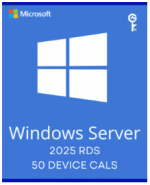


Windows Server 2025 Remote Desktop Services – 50 Device CALs Certificate
R1 000,00
The Windows Server 2025 Remote Desktop Services – 50 Device Activation Key is delivered via email, so please ensure your email address is accurate. Be sure to check your spam or junk folder in case the email is filtered. This key requires an active licensed Windows Server 2025 on your system, as it cannot be used to activate Windows Server itself. Instead, it enhances remote access capabilities within the existing Windows Server environment.
Product Description
Microsoft Windows Server 2025 Remote Desktop Services – 50 Device (RDS) is a core component of Windows Server 2025, designed to empower businesses by offering virtualization solutions that meet diverse remote access needs. This RDS license supports secure mobile access, individualized application virtualization, and the ability for users to run their applications and desktops from the cloud. Note that each device accessing a licensed Windows Server must have a corresponding Windows Server Client Access License (CAL) and an RDS CAL for optimal access control.
With a Device CAL, each device connecting to the server is licensed, regardless of the user accessing it, making it a cost-effective solution for setups with multiple users per device.
Features
Simplified IT Management
Enhanced Licensing Control: Manage Remote Desktop Licensing Server through integration with Active Directory (AD), allowing for streamlined control over CALs and simplified entitlement tracking.
Improved Server Compatibility: Benefit from high-availability RD Licensing Servers with forward compatibility, meaning licenses from various Windows Server versions can be managed in one place.
APIs for Performance Monitoring: Windows Server 2025 introduces Performance Counters APIs, making it easier for partners to access real-time data and create monitoring dashboards for user experience consistency.
Enhanced User Experience
Productive Notifications: Users receive notifications for RemoteApp in the Action Center, improving productivity with applications like Microsoft Outlook and enhancing ease of access.
Secure VM Isolation: Discrete Device Assignment optimizes graphic-intensive workloads, resulting in better security, smooth video playback, and minimized network traffic.
Enhanced Performance: Lower CPU and bandwidth usage delivers faster, higher-quality experiences for end users accessing the web client, resulting in greater efficiency and a smoother workflow.
Robust Security
Integrated Management Tools: Windows Admin Center consolidates local and remote server management in one intuitive dashboard.
Multi-session Defender Optimizations: Built-in Windows Defender supports multi-session environments, ensuring secure, scalable desktop experiences for end users.
Streamlined Authentication: Single Sign-on (SSO) for web client users simplifies access, enhancing the login process and saving time.
Advanced Encryption: DTLS-based encryption strengthens security across RDS deployments, creating a trusted and robust virtualized environment.
Why Choose Windows Server 2025 Remote Desktop Services – 50 Device?
Windows Server 2025 Remote Desktop Services provides secure, scalable, and high-performance solutions for remote access needs, whether for mobile devices, virtualized applications, or cloud-based desktops. With integrated security measures, easy management through Active Directory, and the ability to host high-demand applications, it’s built to support modern, flexible work environments. Make managing virtual desktops and applications simple and secure with Windows Server 2025 RDS – 50 Device.
Only logged in customers who have purchased this product may leave a review.


Adobe Acrobat Pro DC Full Version for Windows
Original price was: R700,00.R300,00Current price is: R300,00.


Related products







Reviews
There are no reviews yet.