



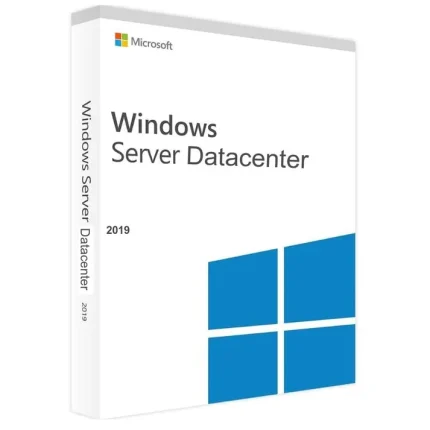
Microsoft Windows Server 2019 Datacenter
R700,00
Size and packaging guidelines
| Specification | Chair | Armchair | Sofas |
| Height | 37" | 42" | 42" |
| Width | 26.5" | 32.5" | 142" |
| Depth | 19.5" | 22.5" | 24.5" |
| Assembly Required | No | No | Yes |
| Packaging Type | Box | Box | Box |
| Package Weight | 55 lbs. | 64 lbs. | 180 lbs. |
| Packaging Dimensions | 27" x 26" x 39" | 45" x 35" x 24" | 46" x 142" x 25" |
The Datacenter edition is equipped with unique product features. One of them is the Host Guardian Hyper-V Support. This enables you to run a trusted software and manage the keys required to start up shielded virtual machines. This also ensures that the enterprise or hosting company is aware of the Hyper-V hosts.
The Windows Server 2019 Datacenter edition also has Storage Replica with no limits on the amount of data or number of volumes. This allows you to replicate or back up all your data for disaster recovery, and ensure smooth functioning of your website.
You can activate this edition either as a guest or as a host. This edition also has the feature of Software-defined networking, which allows you to program the network in a centrally-controlled manner. It also enables you to monitor and improve the network holistically, notwithstanding the network technology.
Another feature is Storage Spaces Direct, which gives incomparable performance and efficiency when it comes to storage of data. It uses industry-standard, highly-available servers to store your data in local-attached drives. All this comes at a price cheaper than the traditional NAS or SAN arrays.
Another advantage of the Datacenter edition is that you can virtualize an unlimited number of Windows Server instances within the physical Windows Server machine.
Windows Server 2019 Datacenter uses a flexible license model that allows corporations the luxury of infinite scalability.
Get better control over your server with the new, modern control center known as Windows Admin Center.
The improved Microsoft Azure integration opens up the door to new possibilities when working with Windows Server 2019 Datacenter. Synchronize files faster and easier.
Use Azure Backup services and Azure Files to manage data better than ever before.
Build highly available and scalable storage solutions for all your server and business needs.
Take advantage of fast updates, similarly to the updates on the core Windows 10 desktop operating system.
Increased security for your entire server, including virtual machines. Features such as Windows Defender protection, shielded VMs, and encryption for containers ensure no threats present harm to your system.
What are Cores and what are they used for?
Windows Server 2019’s licensing model includes both Cores and CALs. Every user or device is required to have either a Windows Server CAL or a Windows Server and RDS CAL in order to be able to access the licensed server.
Our product allows you to instantly add 16, 20 or 24 Cores to your arsenal. This makes for an incredibly easy way to give your business a boost in scale, expanding the number of employees working under your name.
Online activation
Does not bind to your Microsoft account
Can not be reactivated / transferred to another computer
Instant delivery – 2 minutes
Activation instructions provided in the email with the key
Permanent activation
Region: Global
Multilingual
Updates possible
Invoice will automatically generate upon placing an order.
Live chat or email support
Download URL: https://www.microsoft.com/en-us/evalcenter/evaluate-windows-server
Note: In order to convert Windows Server From Evaluation Version to Full Version Using use this DISM command:
1. Open CMD (Command Prompt) as Administrator
2. You can check the current version of your system using the following command: DISM /Online /Get-CurrentEdition
3. Use this command to convert Windows Server from Evaluation Version: DISM /online /Set-Edition: ServerDatacenter /ProductKey: XXXXX-XXXXX-XXXXX-XXXXX-XXXXX /AcceptEula
Only logged in customers who have purchased this product may leave a review.


Adobe Acrobat Pro DC Full Version for Windows
Original price was: R700,00.R300,00Current price is: R300,00.


Related products






Reviews
There are no reviews yet.