


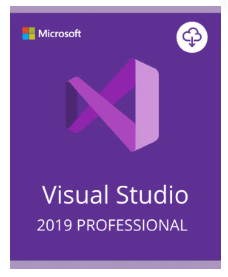

Visual Studio 2019 Professional Activation Key – (PC)
R450,00
Size and packaging guidelines
| Specification | Chair | Armchair | Sofas |
| Height | 37" | 42" | 42" |
| Width | 26.5" | 32.5" | 142" |
| Depth | 19.5" | 22.5" | 24.5" |
| Assembly Required | No | No | Yes |
| Packaging Type | Box | Box | Box |
| Package Weight | 55 lbs. | 64 lbs. | 180 lbs. |
| Packaging Dimensions | 27" x 26" x 39" | 45" x 35" x 24" | 46" x 142" x 25" |
Visual Studio 2019 Professional is an intelligent software development aid. The suite combines features from the popular Visual Studio 2017 with new practical functions. This enables the user to write code efficiently, and to identify any errors. A large number of languages can be used for this. Buying Visual Studio 2019 Professional provides developers and companies with an integrated development environment addressing different platforms.
SIMPLIFIED COOPERATION AND AI FEATURES
The current version of Visual Studio is simple to navigate, with special aids for visually handicapped developers. The software has better refactorings than previous versions. The Loads and Builds solution has been reworked as part of ongoing programme development. The debugger tool, so important for effective programming, now has a wider range of options. Live Share makes real time team work even more simple and productive: Previous functions on shared programme code tasking have been expanded and improved. The IntelliCode feature is included in Visual Studio 2019 Professional to increase team and individual developer productivity levels. Artificial intelligence acts to assist the developer. For example, it proposes improvements to code quality. So that the user can apply the correct language to each project, the development environment continues to support older languages such as C or C++ and newer languages such as C#.
DEVELOPMENT WORK FOR DIFFERENT PLATFORMS
Buying Visual Studio 2019 Professional enables the development of solutions for different platforms. The software provides a range of impressive environments for varied applications. Mobile solutions can be developed easily, working alone or in a team. The IDE Visual Studio includes several tools for improving app codes. There are no restrictions on the development of native apps for iOS, Android and Windows. Coding and debugging work can be shared amongst the team members. Programmed applications for PCs, mobile devices or the web can be based on existing applications. Integrating code already written into Visual Studio can be carried out smoothly.
PROFESSIONAL DEVELOPMENT TOOLS FOR SMALL TO MEDIUM SIZED COMPANIES
Firms choosing to buy Visual Studio 2019 Professional boost team productivity, amongst ther benefits. Powerful functions in the development environment enable employees to view large data volumes directly in code modus. Any amendments carried out are displayed clearly and structured according to individual persons. Code references and tests passed can be found quickly. Visual Studio has many other useful functions, such as planning tools for Agile Projects, and clearly displayed diagrams. By purchasing a Visual Studio licence, you automatically have access to upcoming updates and bug fixes, making the software a valuable investment in the long term.
BUY VISUAL STUDIO 2019 PROFESSIONAL
Small companies and freelancers profit enormously from programming aids such as Visual Studio. You can download the software easily from lizengo. Take advantage of all the benefits an original licence gives you. These include extensive support services. You can contact the lizengo team if you have queries before purchasing, for example, if you´re not sure about your software selection. After downloading the programme and entering the licence key provided with the purchase, expert Lizengo staff stand ready to help with the installation process of Visual Studio 2019 Professional.
Only logged in customers who have purchased this product may leave a review.


Adobe Acrobat Pro DC Full Version for Windows
Original price was: R700,00.R300,00Current price is: R300,00.


Related products







Reviews
There are no reviews yet.